LOG 009: The Render Stack & The Rejection Matrix
The Render Stack and Rejection Matrix: a framework for culling Midjourney generations efficiently and selecting only the images that serve your visual world.
The Problem
You open Midjourney. You generate 50 images. They're all technically beautiful. The compositions are clean. The lighting is dramatic. The AI nailed it.
But now you have a different problem.
Which one do you post?
You stare at the grid. They all look good. You start second-guessing. Maybe the third one? No, the lighting on the seventh is better. But the composition on the twelfth...
An hour passes. You still haven't posted.
This is the paradox of abundance. AI has solved the execution problem. It has not solved the decision problem. In fact, it has made it worse.
Most creators are drowning in options. They generate hundreds of images per week and publish the ones that "feel right" in the moment. No system. No criteria. Just vibes.
This is why most AI feeds look incoherent. Random styles. Random subjects. No through-line.
The solution isn't to generate less. It's to decide faster.
You need two things:
- A Production Pipeline that turns raw generations into polished assets at scale.
- A Rejection Framework that tells you which ones to kill and which ones to keep.
Today, I'm giving you both.
The Three-Layer Render Stack
Think of your workflow like a factory assembly line. Raw materials enter at the top. Finished products exit at the bottom. The goal is velocity without sacrificing quality.
Here's the system I use to process 100+ images per week while working full-time and raising a family.
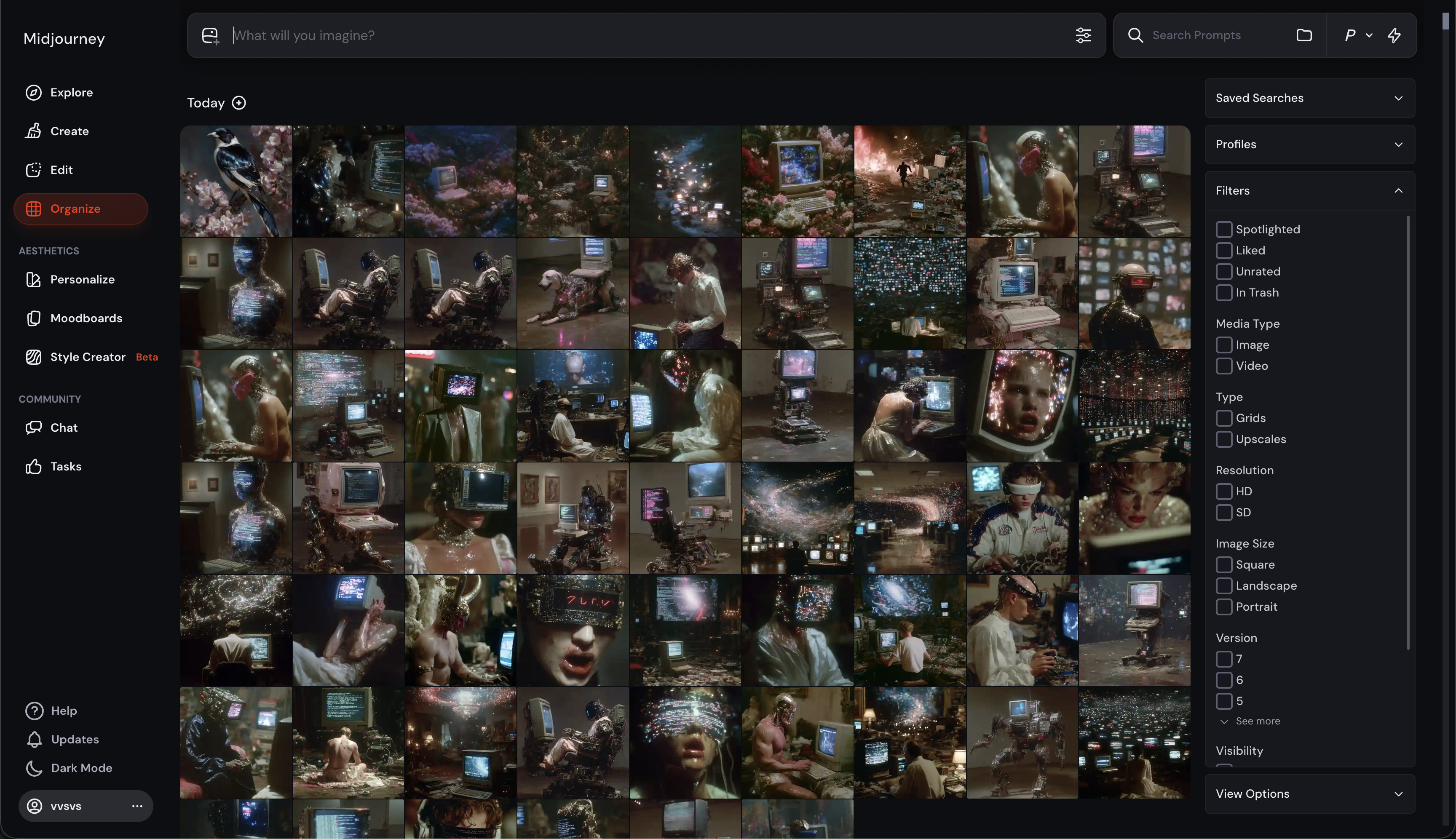
LAYER 1: The Source (Generation)
Tools: Midjourney and Grok Imagine (occasionally)
Time Investment: 10-20 minutes
Objective: Volume. Exploration. Discovery.
This is where you generate the raw material. Do NOT overthink here. Do NOT try to make it perfect. The point is to flood the zone with possibilities.
My Process:
- I use my CODEX style references (Sref & Profile codes)
- I generate in batches of 20-30 images or more.
- I iterate fast (remix prompt, vary themes, specific tweaks)
- I trust the system I've built (my Srefs are already dialed in)
Key Principle: Generation is cheap. Curation is expensive. Generate more than you think you need. Here is where vibes, actually can work in your favor. If you have a specific image, or feeling or theme, or you just read the news and are triggered by something. Go with your gut and be as raw and personal on the output as you can.
At this stage, I'm looking for potential, not perfection. I'm looking for the 20% that have something interesting to say. And this is key. Your images need to communicate something.
LAYER 2: The Wrapper (Enhancement)
Tools: Flora (workflow interface), Magnific or Topaz (upscaling), Nano Banana Pro (expansion)
Time Investment: 30-45 minutes
Objective: Density. Detail. Expansion.
This is where you take the 20% that passed Layer 1 and give them weight. Standard upscaling just makes things bigger. This layer adds substance.
My Process:
Step 0: Upscale and Like in Midjourney.
- I upscale and like the images that resonate in Midjourney. This allow me to filter then for bangers, or forgotten bangers if I need to quickly post something that is pre-approved.
Step 1: Upload to Flora
- I use Flora as my central workspace
- It visualizes the entire pipeline
- Easier to manage volume than switching between apps
Step 2: Upscale with Magnific
- Adds texture and detail without hallucinating
- Critical: It adds the right amount of noise
- AI-generated images are often too clean; Magnific brings entropy
Step 3: Expand with Nano Banana Pro
- This is the game-changer
- I can take a portrait and expand the environment around it
- "Behind the scenes" technique (show the set, the wardrobe, the world)
- Turns a single image into a narrative
Key Principle: This is where you're building the world. You're not just making it look better; you're making it mean more.
At the end of Layer 2, I've gone from 100 raw generations to maybe 15-20 high-density assets.
LAYER 3: The Kinetic (Motion & Polish)
Tools: Grok Video, Kling (via Flora or native), basic editing in Premiere or CapCut if on mobile.
Time Investment: 20-30 minutes
Objective: Pattern interrupt. Final packaging. Distribution.
Static images are great. Motion is better. The algorithm prioritizes video. Your job is to decide which pieces deserve the motion treatment.
My Process:
Step 1: Select for Motion
- Not every image needs to move
- I pick pieces where motion reveals something (camera pull, environment dynamics, character movement)
- If motion doesn't add narrative value, skip it
Step 2: Generate Video
- Grok Video is my daily driver (fast, integrated with X, solid physics)
- Kling for high-polish work (crisper, cleaner, more control)
- I rarely prompt the video model; I let the image drive the logic
Step 3: Edit & Frame
- Trim to 5-10 seconds (attention is short)
- Add subtle sound (if it enhances the vibe, but Grok is really good with audio)
- Write the caption (this is critical—see Part II)
Key Principle: Motion should reveal, not distract. If it's just movement for movement's sake, kill it.
At the end of Layer 3, I have 10-15 ready-to-post assets with maximum impact potential.
PART II: The Rejection Matrix
Now you have 15 polished pieces. But you can only post 2-3 per day (to avoid diluting your feed).
How do you choose?
This is where most creators fail. They choose based on what they like, not what works. They post the piece that took the longest to make, not the one with the strongest signal.
Here's my framework. Every image gets scored on 4 axes. If it doesn't pass all 4, it gets archived.
AXIS 1: Technical Quality (The Craft Check)
Question: Is this technically flawless?
What I'm Looking For:
- Clean composition (rule of thirds, leading lines, balanced negative space)
- Proper lighting (does the light source make sense? does it pop?)
- No AI slop artifacts (check hands, faces, edges, text)
- Detail density (zoom in—does it hold up?)
The Test: Would a professional art director approve this?
Red Flags:
- Blurry zones
- Inconsistent perspective
- AI "tells" (overly symmetrical faces, plastic skin, wrong anatomy)
If it fails Axis 1, it's out. No exceptions. Technical quality is the baseline.
AXIS 2: Narrative Coherence (The World Check)
Question: Does this fit the world I'm building?
What I'm Looking For:
- Stylistic consistency with my other work
- Does it align with one of my visual style? (dark, slightly dystopian, mature)
- Does it expand the mythology or just repeat it?
The Test: If someone scrolled my timeline, would this feel like it belongs?
Red Flags:
- Random style shifts
- Disconnected subject matter
- No clear archetype anchor
If it doesn't fit the narrative, I archive it. Even if it's beautiful.
Consistency > novelty.
AXIS 3: Entropy (The Life Check)
Question: Does this image have texture? Does it breathe?
This is the hardest to quantify, but it's the most important. AI defaults to perfection. Real worlds have grit.
What I'm Looking For:
- Imperfections (dust, scratches, weathering)
- Asymmetry (not everything perfectly centered)
- History (does this object/person/place have a past?)
- Mistakes that add character
The Test: Does it feel generated, or does it feel discovered?
Red Flags:
- Too smooth, too clean
- Overly saturated colors
- Lifeless eyes (for characters)
- No sense of time or decay
If it feels like it came out of a plastic mold, I reject it. I want worlds that feel lived-in.
AXIS 4: Signal Strength (The Scroll Check)
Question: Will this stop the scroll?
Forget what you like. Forget what's "good." Will a stranger, doom-scrolling at 11 PM, stop and look at this?
What I'm Looking For:
- Immediate visual hook (color, contrast, composition)
- Emotional resonance (does it make me feel something?)
- Novelty (have I seen this exact thing 1,000 times before?)
- Specificity (generic = invisible)
The Test: If this appeared in my feed with no context, would I pause?
Red Flags:
- Looks like everyone else's AI art
- Too subtle (nuance doesn't scale on social)
- Doesn't communicate at thumbnail size
If it doesn't pass the scroll test, it's not ready. I either iterate or kill it.
THE SCORING SYSTEM
Each axis is binary. Pass or fail.
- ✅✅✅✅ = POST IMMEDIATELY (top 10%)
- ✅✅✅❌ = REVISE OR HOLD (might work later)
- ✅✅❌❌ = ARCHIVE (learn from it, move on)
- ✅❌❌❌ = DELETE (it's just noise)
I only post 4/4 scores. Everything else goes into a "Maybe Later" folder that I revisit monthly.
This is the difference between a portfolio and a feed.
A portfolio shows your best work ever. A feed shows your best work right now, curated for narrative flow and signal strength.
The Combined Workflow
Here's how the Render Stack and Rejection Matrix work together:
Monday Morning (20 minutes):
- Layer 1: Generate 30 images in Midjourney using my Sref library
- Quick scan: 10 have potential
Monday Afternoon (45 minutes):
- Layer 2: Upload the 10 to Flora → Upscale with Magnific → Expand 3-4 with Nano Banana
- Now I have 10 enhanced stills + 3-4 expanded environments
Monday Evening (30 minutes):
- Layer 3: Convert 2-3 pieces to video using Grok
- Write captions for each
Monday Night (15 minutes):
- Run all pieces through the Rejection Matrix
- Score each on the 4 axes
- Select the 2-3 that scored 4/4
- Schedule for the week or use as a buffer for future posts.
Total Time: ~2 hours
Output: 2-3 high-signal posts ready for distribution.
This is how you scale quality. This is how you stay consistent. This is how you avoid decision fatigue. And how I realize how much of my time is spend doing all of this.
Final Calibration
The hardest part of this system isn't the tools. It's the discipline.
You will generate images you love that fail the Matrix. You will want to post them anyway. Don't.
You will have days where nothing scores 4/4. That's fine. Don't force it. Go back to Layer 1. Fill the Deep Tank. Try again tomorrow.
The system only works if you trust it.
Your taste is the moat. Your process is the engine.
The Render Stack gives you velocity. The Rejection Matrix gives you clarity. Together, they turn the chaos of infinite generation into a coherent body of work.
Stop choosing based on what feels right in the moment. Start choosing based on what fits the architecture.
The world isn't built with random bricks. It's built with systems.
If you haven't grabbed the World Building Codex Vol. II yet, it's still open.
— Ivan
P.S. I'm curious: What's your biggest bottleneck right now? Generation? Curation? Motion? Distribution? Hit reply and let me know. I read every response.