← CinematiqueVisual Effects & Promptable FX · Intermediate
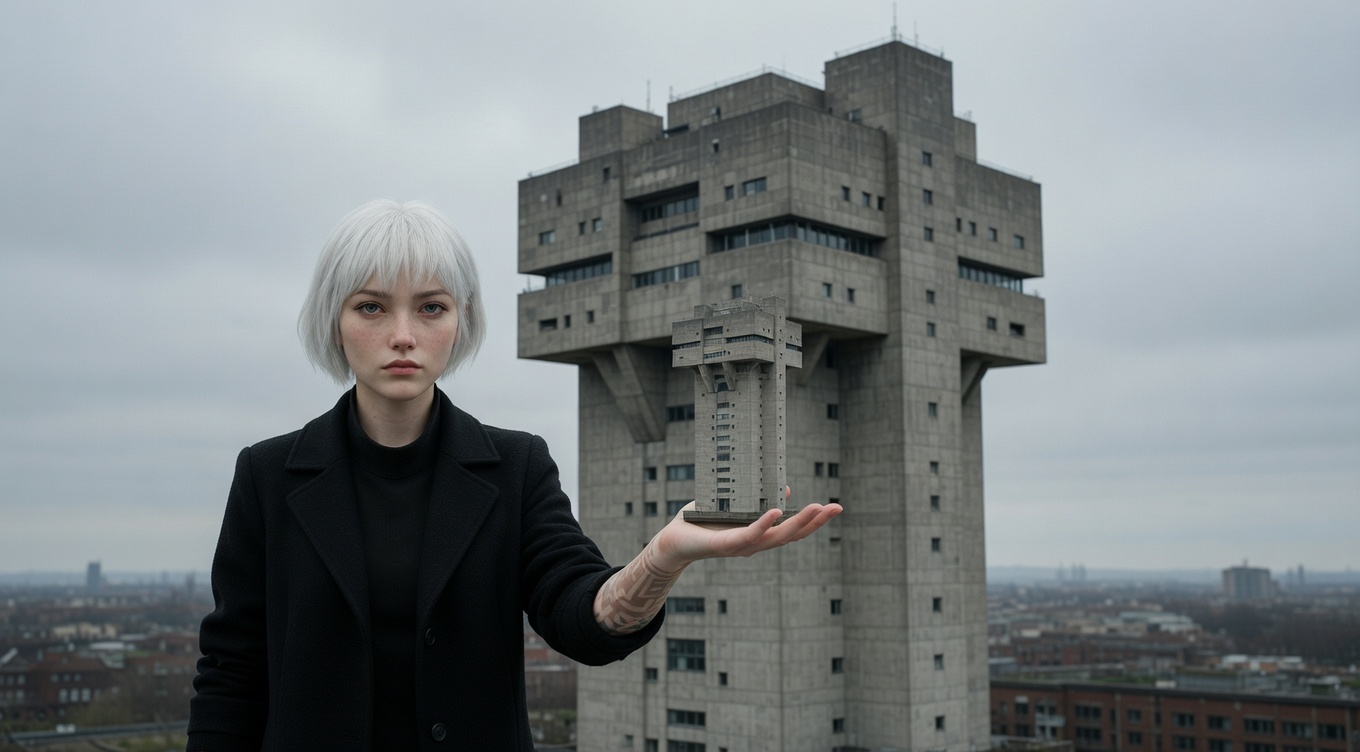
Forced Perspective Prompt for AI Image & Video
Using the relationship between camera position and object placement to create optical illusions of size — Hobbits appear small next to Gandalf through precise staging rather than CGI. Peter Jackson used forced perspective extensively in "The Lord of the Rings," building oversized and undersized duplicate sets and using precise camera alignment to make Elijah Wood appear four feet shorter than Ian McKellen in the same frame. Jean-Pierre Jeunet used forced perspective for whimsical effect in "Amélie." The technique dates back to the earliest days of cinema and architecture — Egyptian temples and Baroque churches used the same principle to appear larger than they are.
By Ivan Flugelman · Reviewed 16 July 2026
Prompt template
Forced perspective illusion with [Subject] appearing impossibly large or small through precise camera alignment and placement, the depth of field deep enough that both near and far elements appear sharp, the lighting matching between foreground and background, the Peter Jackson technique of making the impossible look real without digital manipulation, just physics and precise alignment
Replace [Subject] with your own character or scene. The prompt is technology-agnostic and works as a starting point for AI image or video generators.
When to use Forced Perspective
Use forced perspective when characters or objects must appear impossibly large or small while sharing one believable frame. It suits fantasy scale, whimsical comedy, giant-object illusions, and practical-looking visual tricks. The technique works from a precise viewpoint, so it is strongest in composed shots with controlled blocking. Avoid wide camera movement unless the alignment and depth relationship can remain locked throughout.
Directing the AI
Place the larger-looking subject close to camera and the smaller-looking subject farther away on the same sightline. Use deep focus so both planes remain sharp, then match light direction, color temperature, shadow softness, and eye lines across the distance. Hide scale references that expose the separation. Keep the camera fixed at the alignment point. For interaction, choreograph gestures to meet visually in the frame even though the subjects occupy different depths.
Common mistakes
Allowing shallow focus to reveal that the apparently adjacent subjects sit on widely separated depth planes.
Including familiar scale references between subjects, exposing the distance trick before the illusion can work.
Moving the camera away from the designed viewpoint, causing edges, eye lines, and apparent contact to separate.