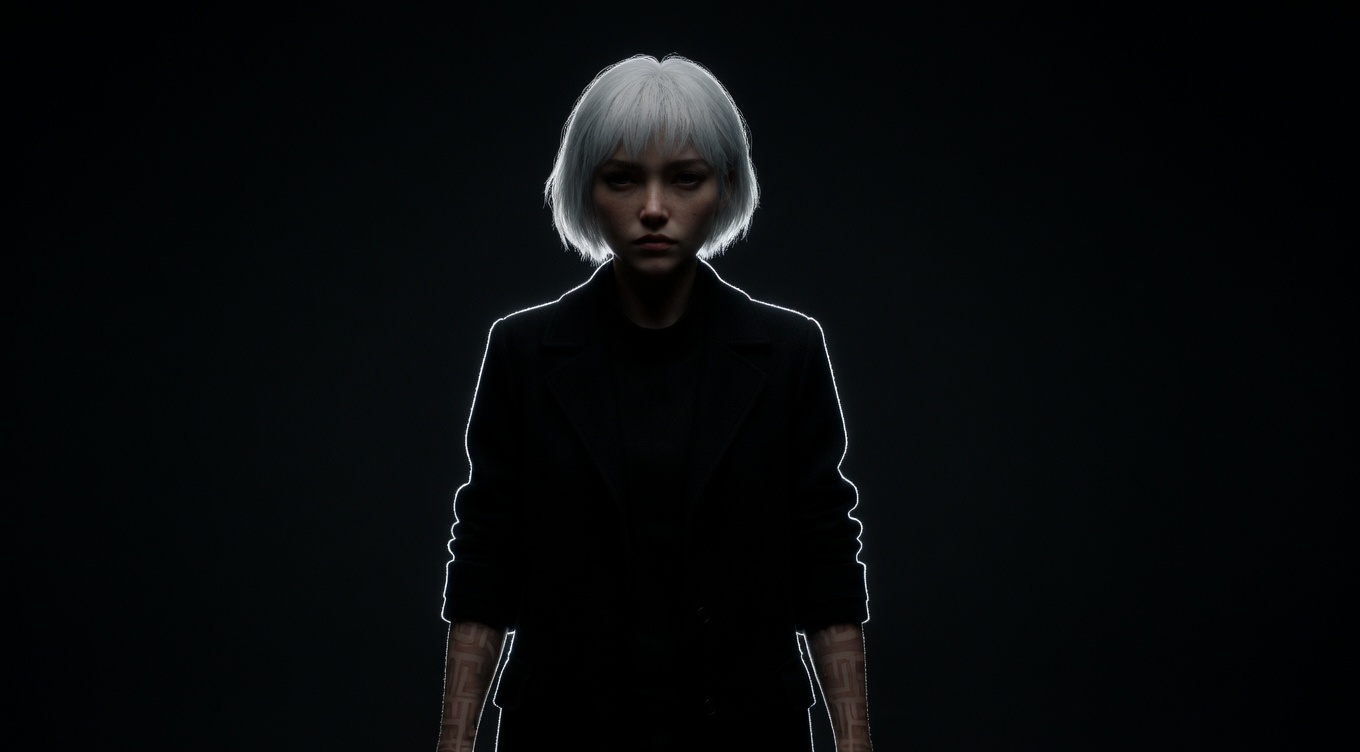
A thin line of light that traces the outline of a subject, separating them from the background and creating a refined, cinematic look that adds depth and visual polish. Ridley Scott and his frequent cinematographer John Mathieson use edge lighting extensively in "Gladiator" and "Kingdom of Heaven" to make armored warriors pop against dark battle backgrounds. Roger Deakins uses hairline edge lights in "Blade Runner 2049" where characters are often defined more by their luminous outlines than their illuminated faces. The technique is also fundamental to music video and commercial cinematography where separation and visual polish are paramount.
By Ivan Flugelman · Reviewed 16 July 2026
Prompt template
Edge light tracing the complete outline of [Subject] against darkness, a thin bright line following every contour from crown to fingertips, the face and front in complete shadow with no fill, only the bright edge visible, individual hair strands creating a fiber-optic halo effect, shot on a 135mm lens at T2 to compress the background into a seamless void, the cinematic elegance of defining a form by outline alone
Replace [Subject] with your own character or scene. The prompt is technology-agnostic and works as a starting point for AI image or video generators.
When to use Edge Light
Choose edge light when shape matters more than frontal detail, or when a dark subject needs refined separation from a dark background. It is effective for profiles, armor, fashion, music performance, smoke, and restrained sci-fi imagery. A thin contour can make the frame feel polished without exposing the face. Use it to reveal silhouette and surface boundaries, not as a universal glow; the line should follow the source-facing outline only.
Directing the AI
Position a narrow source behind the subject so it grazes the outer contour. Specify which edges catch light, from crown and hair strands to shoulder, arm, or object rim, while the front remains dark or minimally filled. Keep the line thin and brightest where the angle reflects toward camera. Avoid equal intensity around the whole body. In video, let the illuminated contour migrate with rotation, revealing different edges as geometry changes relative to the fixed source.
Common mistakes
Drawing a complete uniform outline around the subject, including edges hidden from or facing away from the source.
Widening the edge until it spills across the face and torso, replacing elegant separation with broad backlighting.
Using a background equally bright as the rim, which removes the contrast required for clean contour definition.